Download the free toolbox talk
The one-page talk, editable Word version, and guidance below are open to everyone. No account required.
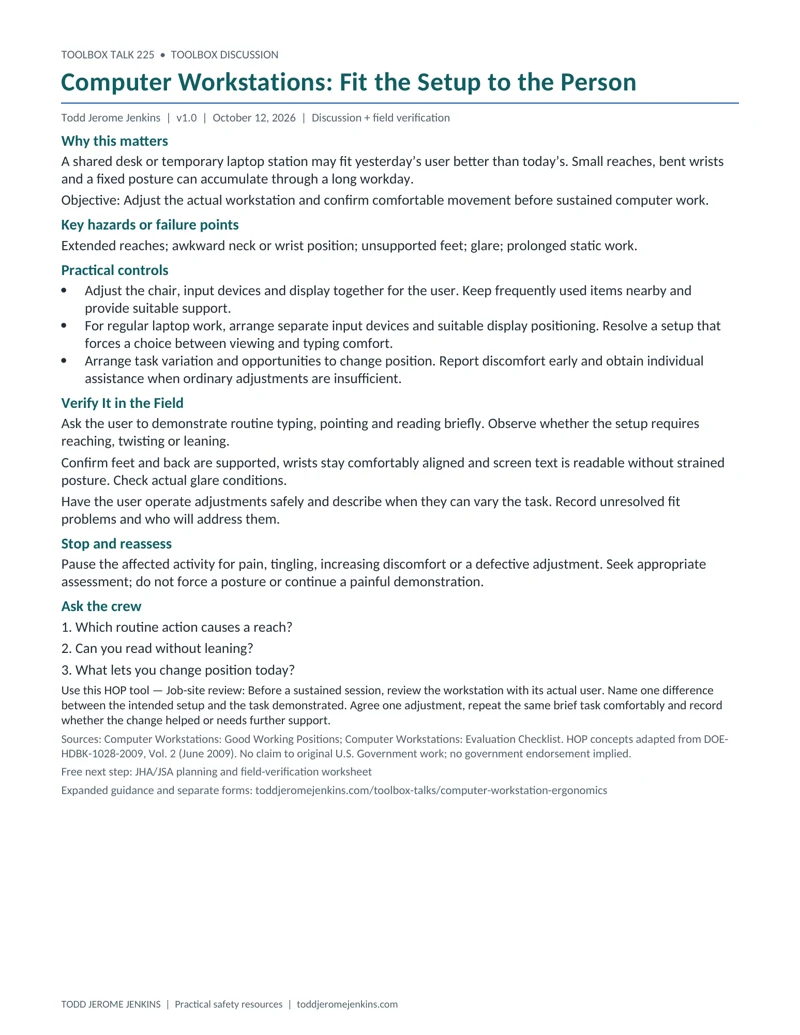
One-page toolbox talk
Download one-page toolbox talk (PDF, 1 page)Editable one-page toolbox talk (Word)Preview the one-page toolbox talk
Supporting documents
Included with free Safety & Systems membership.
Supervisor field check
A separate check to verify conditions and controls before work. Includes a one-page PDF and editable Word file.
Attendance sheet
A separate sign-in sheet to record the crew discussion. Includes a one-page PDF and editable Word file.
Need the crew records? Join free to use these supporting documents and the Safety & Systems Academy. No payment details. Email updates are optional.
Get supporting documents — free membershipAlready a member? Use the same link to sign in.
Hazard-based toolbox talk 50 of 52, with a practical HOP exercise.
Plan a 5–10 minute toolbox discussion, plus time to verify the actual controls. The one-page toolbox talk and editable Word version are public. Separate supervisor and attendance records are included with free Safety & Systems membership.
Why this matters
A shared desk or temporary laptop station may fit yesterday’s user better than today’s. Small reaches, bent wrists and a fixed posture can accumulate through a long workday.
Learning objective
Adjust the actual workstation and confirm comfortable movement before sustained computer work.
Key hazards or failure points
Extended reaches; awkward neck or wrist position; unsupported feet; glare; prolonged static work.
Practical controls
- Adjust the chair, input devices and display together for the user. Keep frequently used items nearby and provide suitable support.
- For regular laptop work, arrange separate input devices and suitable display positioning. Resolve a setup that forces a choice between viewing and typing comfort.
- Arrange task variation and opportunities to change position. Report discomfort early and obtain individual assistance when ordinary adjustments are insufficient.
Verify It in the Field
- Ask the user to demonstrate routine typing, pointing and reading briefly. Observe whether the setup requires reaching, twisting or leaning.
- Confirm feet and back are supported, wrists stay comfortably aligned and screen text is readable without strained posture. Check actual glare conditions.
- Have the user operate adjustments safely and describe when they can vary the task. Record unresolved fit problems and who will address them.
Stop and reassess
Pause the affected activity for pain, tingling, increasing discomfort or a defective adjustment. Seek appropriate assessment; do not force a posture or continue a painful demonstration.
Crew discussion questions
- Which routine action causes a reach?
- Can you read without leaning?
- What lets you change position today?
For each required control, record its acceptance source and criterion, safe verification method, responsible verifier, actual result and time. Mark VERIFIED, HOLD/NOT VERIFIED, or N/A with a reason. Complete all required inspections; never enter danger or improvise a test to fill out a form.
Use this HOP tool
Job-site review
Before a sustained session, review the workstation with its actual user. Name one difference between the intended setup and the task demonstrated. Agree one adjustment, repeat the same brief task comfortably and record whether the change helped or needs further support.
This exercise supports hazard identification or control verification. It does not replace safeguards, required training, specialist decisions or work authorization.
Leader preparation and practical detail
Study the ordinary task
Illustrative situation: a supervisor reviews drawings on one screen while entering notes on a laptop to the side. A photograph of an empty desk will miss the repeated rotation. Ask the user to show the task briefly and describe what becomes difficult later. Adjust the arrangement with the user and revisit its usefulness after normal work.
Use guidance as a fit assessment
OSHA’s computer-workstation eTool offers practical recommendations rather than a single mandatory posture or universal desk measurement. Use its evaluation checklist to identify unresolved features. Consider the person’s vision, task and individual needs. A chair marketed as ergonomic does not establish that its settings, screen and keyboard work together for this user.
Make variation achievable
Ask when the work actually allows a position change or different activity. A reminder alone cannot resolve a workflow that prevents recovery pauses. Leaders can adjust task organization and provide assistance with workstation changes. Record follow-up needs without putting private medical details on the attendance sheet. Persistent symptoms need appropriate professional evaluation rather than repeated self-adjustment alone.
Short supervisor field check
- User demonstrates routine task
- Seat and foot support fit
- Display and inputs coordinated
- Position changes feasible
- Discomfort concerns followed up
Use the separate sheet to document evidence, unresolved restrictions, correction owner, recheck and required release authority. Rebrief affected workers. This record does not replace specialist inspections, permits or engineering determinations.
Attendance and follow-through
Use the separate attendance record for participants, roles, questions, actions and late-arrival rebriefs. Attendance does not prove competence, functioning controls or authorization. Keep completed records private under employer procedures.
Source acknowledgment
HOP concepts are adapted from DOE-HDBK-1028-2009, Human Performance Improvement Handbook, Volume 2 (June 2009). Todd Jerome Jenkins makes no claim to authorship or copyright ownership of original U.S. Government work. The explanations and exercises are original adaptations; no endorsement by DOE or the U.S. Government is implied. Third-party material credited in the handbook retains its separate ownership.
HOP source: Volume 2/VOLUME 2 JOB-SITE REVIEW.pdf; Printed pp. 8–9. The handbook supplies concepts; task-specific technical references are listed below.
Technical scope and references
Technical sources inspected October 12, 2026; resource edition October 12, 2026. Apply current jurisdictional requirements, the actual task procedure, manufacturer instructions, permits and required competent or qualified decisions. This resource supplies no equipment-specific acceptance criteria.
- OSHA — Computer Workstations: Good Working Positions — Advisory guidance on neutral positioning and variation; not a universal numerical acceptance standard.
- OSHA — Computer Workstations: Evaluation Checklist — User-specific workstation, input-device, display and work-organization review.
- DOE-HDBK-1028-2009 Volume 2 — Job-site review — Printed pp. 8–9; historical HOP concepts adapted into an original exercise.
Connect this discussion to your JHA/JSA
Use the JHA/JSA planning and field-verification worksheet to connect this discussion to the actual task, controls and responsible people.
Related Todd Jerome Jenkins articles: How to Conduct a Job Safety Analysis and What Is Human and Organizational Performance?.
Related toolbox talks
- Manual Handling: Change the Lift Before You Lift
- Job-Site Review: Does the Place Match the Plan?
- Observe the Work: Study Conditions Before Judging Actions
Continue the hazard series
Put one verification into practice
Record today’s change and evidence using the free JHA/JSA planning and field-verification worksheet.